Audio only
Streams just the audio track. Lighter on data, battery and attention.
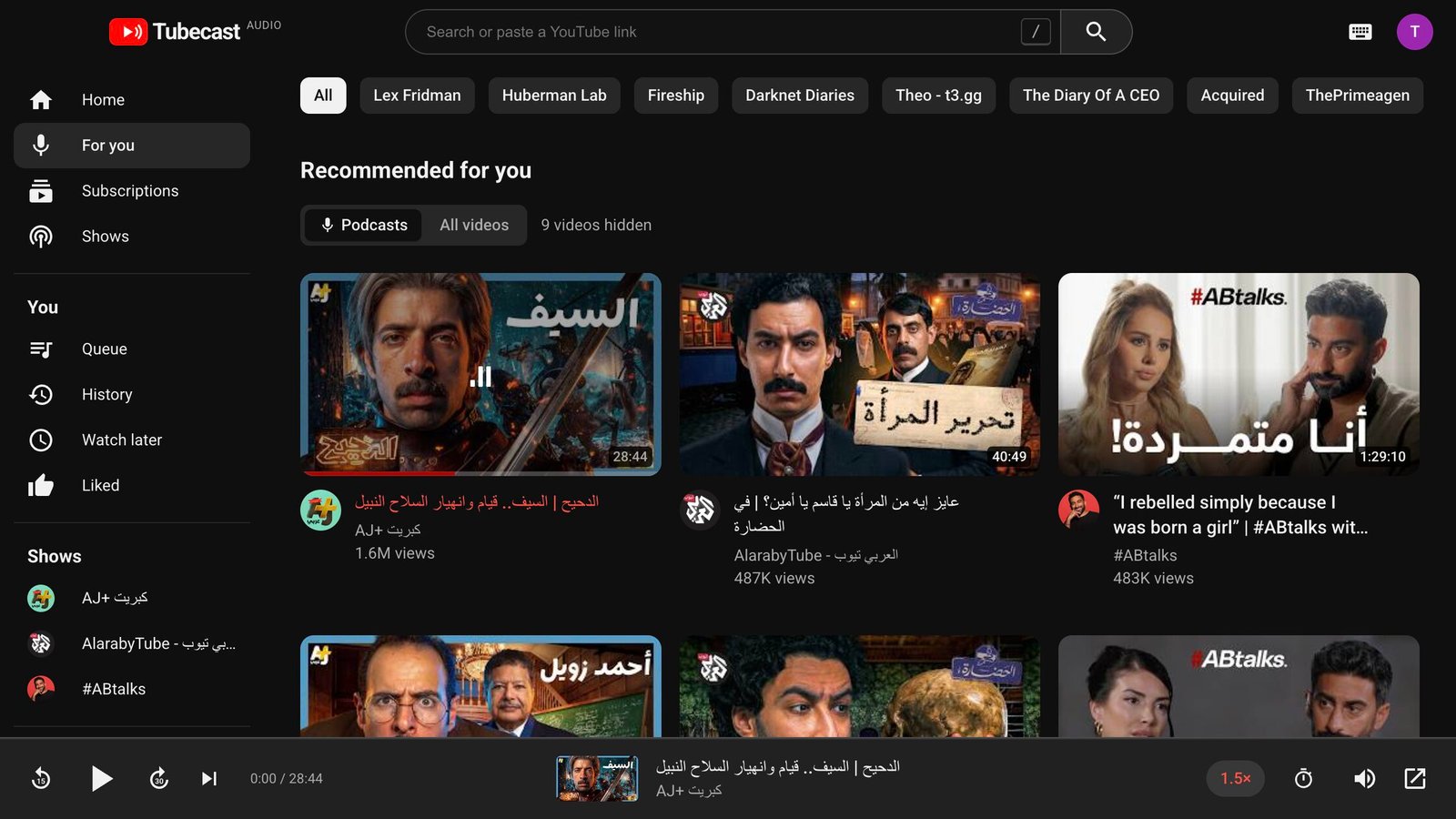
Tubecast plays just the audio of the videos you love. Your subscriptions and recommendations, filtered down to the talks, interviews and shows worth listening to.
Free · macOS 12+ (Apple Silicon & Intel) · Windows 10 & 11 · v1.0.0
Built for the hours of great conversation on YouTube that you never needed to watch.
Streams just the audio track. Lighter on data, battery and attention.
Sign in with Google for your subscriptions, recommendations, Watch later and liked videos.
Hides vlogs, hauls, trailers and shorts using length, title and channel signals, and learns from what you play and skip.
Every episode remembers exactly where you stopped. Pick up on the next coffee break.
Close the window and keep listening. Play, pause and skip from the menu bar or your media keys.
0.75× to 2×, a queue for the commute, and a sleep timer that stops at the end of the episode.
Open the DMG and drag Tubecast into Applications.
Sign in with Google in your own browser. Optional: search and links work without it.
Your podcast feed is ready. Press play and close the window.
Yes. Download it and use it, no account with us needed.
Tubecast isn't notarized by Apple yet. After the first launch, open System Settings → Privacy & Security and click Open Anyway. You only do this once.
You sign in on Google's own page in your browser. The session stays on your Mac, readable only by your user, and is deleted when you sign out. Nothing is sent to us.
The installer isn't signed yet. Click More info, then Run anyway. You only do this once.
Small, useful apps like Tubecast. One email when something new ships. No spam, unsubscribe anytime.
We'll email you when there's something new.